3MF file format: what it is and how to use it
3MF packages 3D print jobs (mesh, materials, colors and print settings) in one zipped-XML container built by the industry consortium around Microsoft. Learn when to use it and what to choose instead.
-
No uploadsFiles stay on your device
-
Batch processingHandle multiple files at once
-
100% privateNo sign-up, no tracking
What is a 3MF file?
A .3mf file is a 3D model packaged for manufacturing in the 3D Manufacturing Format, published in 2015 by the 3MF Consortium, an industry group formed around Microsoft, Autodesk, HP and Shapeways specifically to fix STL's shortcomings. It is a ZIP container holding XML: the mesh plus units, colors, materials, multi-part grouping, print tickets and even slicing metadata, everything a print job needs in one deterministic file.
When should you use 3MF?
- Multi-part or multi-material prints: objects, colors and materials live in one file.
- Ambiguity-free hand-off: units are declared, so a model cannot silently arrive 25.4× off.
- Print-job metadata: slicer settings, thumbnails and production extensions travel inside.
When is another format a better fit?
For a hobby printer that only accepts a plain triangle soup, STL still opens everywhere. For screens rather than printers (game engines, web viewers, AR), glTF is the right container. For raw geometry exchange without print intent, OBJ is simpler.
The short version: 3MF is STL's designed successor: use it whenever a print job needs more than bare triangles.
How to open a 3MF file
On Windows
Double-click the file, or open it with Microsoft 3D Builder.
On macOS

PrusaSlicer opens 3MF files on macOS.
In your browser




Open 3MF files right in a browser tab or with the dexrr viewer. No install, no upload.
Also opens in
-
 Microsoft 3D Builder
-
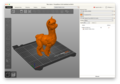 PrusaSlicer
-
 Cura
-
 Blender
View or convert 3MF files
A quick preview or a new format. No install, no upload.
3MF technical details
- Full name
- 3D Manufacturing Format
- Extensions
- .3mf
- MIME type
-
model/3mf, application/vnd.ms-package.3dmanufacturing-3dmodel+xml - Magic bytes
-
50 4B 03 04 (ZIP container) - Compression
- Lossless
- Developer
- 3MF Consortium
- Specification
- 3mf.io
3MF questions, answered
How do I open a .3mf file?
Cura, PrusaSlicer, Bambu Studio, Microsoft's 3D Builder and most slicers open it directly. On dexrr you can inspect a 3mf in the browser and convert it to a plain mesh format.
Can I convert 3MF files online?
Yes, dexrr converts 3mf locally in your browser: 3MF to STL for a plain mesh, 3MF to OBJ or 3MF to glTF for screen use.
Is 3MF better than STL?
For anything beyond bare geometry, yes. It carries units, colors, materials and multiple objects that STL cannot express. STL remains the fallback every printer still understands.
Why does my 3MF print at the wrong size in some tools?
Usually the target tool misreads the declared unit or ignores it. Convert to STL only when the target sets units explicitly, or re-export the 3MF in millimeters.
Is the 3MF format outdated?
No, it is actively maintained by the 3MF Consortium and is the format modern slicers and printer vendors converge on for anything beyond a plain triangle soup.