STL file format: what it is and how to use it
STL is the original 3D-printing format: a bare list of triangles that every slicer on Earth accepts, carrying nothing but surface geometry. Learn when to use it and what to choose instead.
-
No uploadsFiles stay on your device
-
Batch processingHandle multiple files at once
-
100% privateNo sign-up, no tracking
What is a STL file?
An .stl file is a 3D model reduced to triangles, the STereoLithography format from 1987: facets as vertices plus a normal, in ASCII or binary, and literally nothing else: no color, no material, no units, no scale. It is the lowest common denominator of fabrication: every slicer and printer pipeline on Earth accepts it, and it tells them almost nothing.
When should you use STL?
- 3D printing: the format every slicer has read since the beginning.
- Simple fabrication: single-material prints where geometry is all that matters.
- Mesh hand-off to tools that expect nothing else: CNC, CAM, repair tools.
When is another format a better fit?
For modern print jobs, meaning colors, materials, multiple parts and units, 3MF is the designed successor. For screen 3D use glTF or OBJ, since STL's bare triangles are useless for rendering. For editing, keep the CAD source.
The short version: STL is the printer's triangle soup: universally accepted and information-free. Use 3MF when the job has more to say.
How to open a STL file
On Windows
Double-click the file, or open it with Microsoft 3D Viewer.
On macOS

Cura / PrusaSlicer opens STL files on macOS.
In your browser




Open STL files right in a browser tab or with the dexrr viewer. No install, no upload.
Also opens in
-
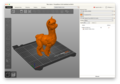 Cura / PrusaSlicer
 -
 Blender
 -
 MeshLab
 -
 FreeCAD
 -
 Microsoft 3D Viewer
View or convert STL files
A quick preview or a new format. No install, no upload.
STL technical details
- Full name
- STereoLithography / Standard Triangle Language
- Extensions
- .stl
- MIME type
-
model/stl, application/sla, application/vnd.ms-pki.stl - Magic bytes
-
73 6F 6C 69 64 (solid, ASCII) / binary header - Compression
- None (uncompressed)
- Developer
- 3D Systems
STL questions, answered
How do I open a .stl file?
Cura, PrusaSlicer, Bambu Studio, Blender, MeshLab and Windows 3D Viewer open it. dexrr displays and converts stl files directly in your browser.
Can I convert STL files online?
Yes, dexrr converts stl locally in your browser: STL to OBJ for editing, STL to PLY for pipelines or STL to 3MF for modern printing.
Is STL better than 3MF?
Only on compatibility, since every slicer reads STL. On information, 3MF wins completely: units, colors, materials and print settings in one file.
Why does my STL print at the wrong size?
The format has no units, so a model authored in inches arrives in your slicer as millimeters 25.4× off. Scale on import or re-export in the right units.
Is the STL format outdated?
It is the oldest common print format and still the universal fallback, but 3MF is the actively developed replacement for anything beyond bare geometry.